Open Ranking in Plaza
Use Plaza, then find the stand marked RANKING and Rank Your Units. Open its Ranking interaction. The central panel initially says Select a Player to continue. A zero on the cash button in this empty state does not establish a free roll.
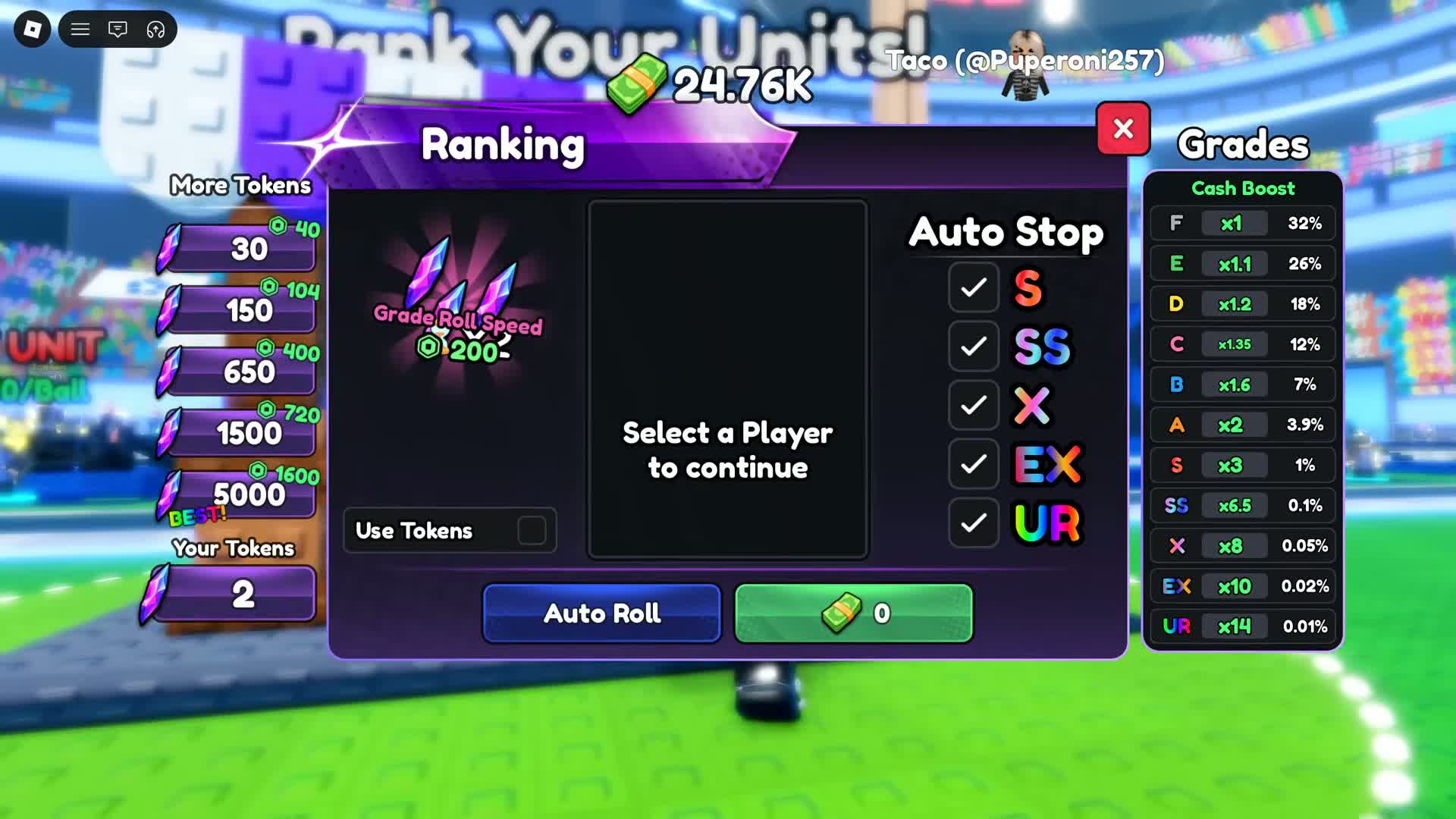
Select the character before rolling
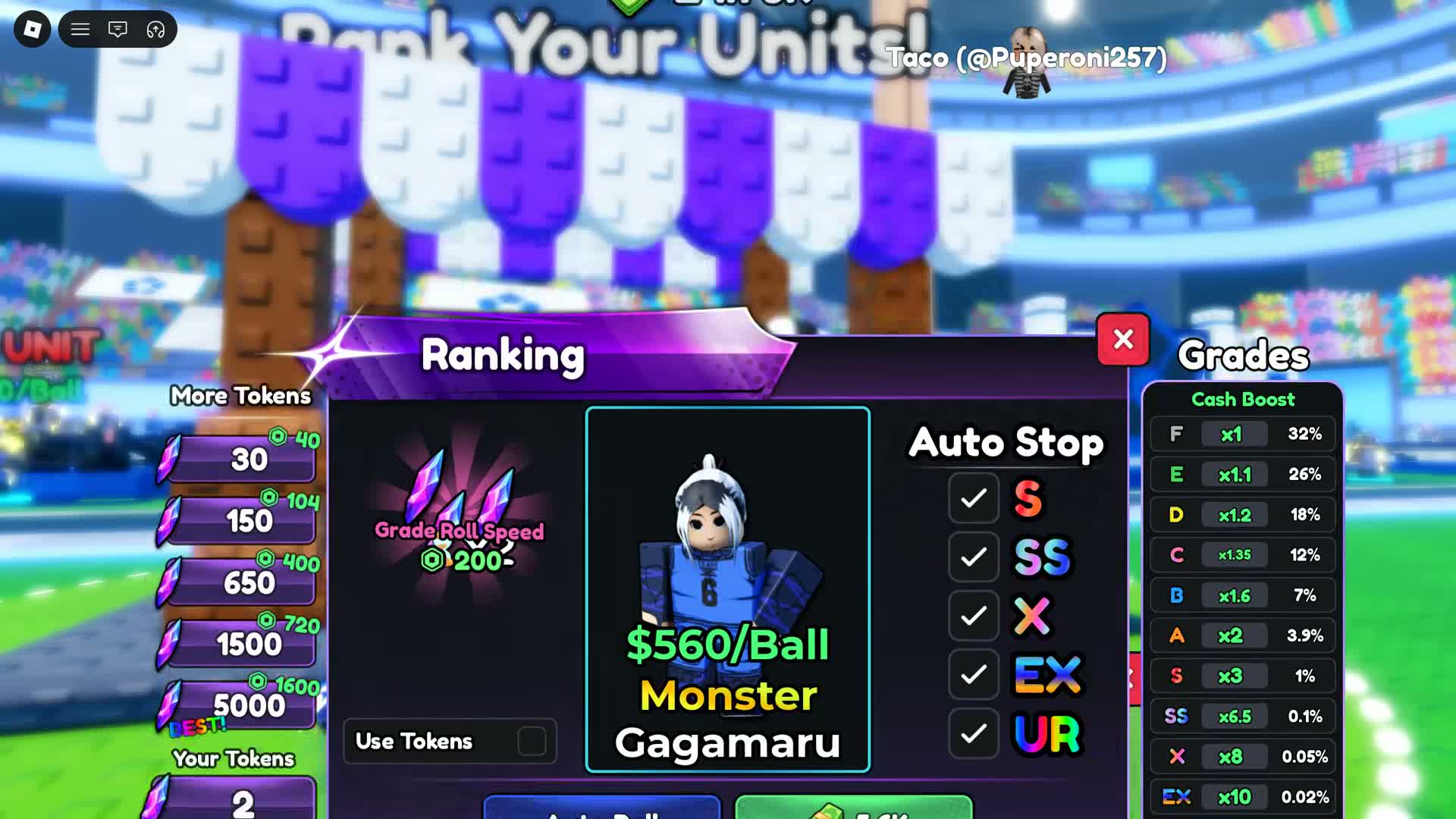
Superlex Plays shows Monster Gagamaru selected at 05:55. The following sequence shows a grade roll and the narrator reports receiving E. That result is one random outcome, not a recommended target or a guaranteed improvement.
- Choose the character you want to grade so its portrait and name appear in the central panel.
- Read that character’s displayed cash cost and check Your Tokens.
- Use the Use Tokens option only when you intend to pay with Grade Tokens; otherwise read the cash price shown for the selected character.
- Make one deliberate roll and inspect the resulting grade before repeating.
Understand the grade display
The right side of Ranking lists grades under Cash Boost. In the September 25 recording, E shows x1.1 and UR shows x14. Those are dated screen values. A grade roll is a separate system from the level-up plate on a character’s stand; check both labels when comparing your character before and after a purchase.
Be deliberate with Auto Roll
The screen also offers Auto Roll and Auto Stop checkboxes for named grades. Read the enabled stop conditions before using an automatic action that may spend resources repeatedly. The reviewed clips do not verify all stop behavior, token-to-cash fallback rules or protection for an existing high grade.
If your token seems to be the wrong one
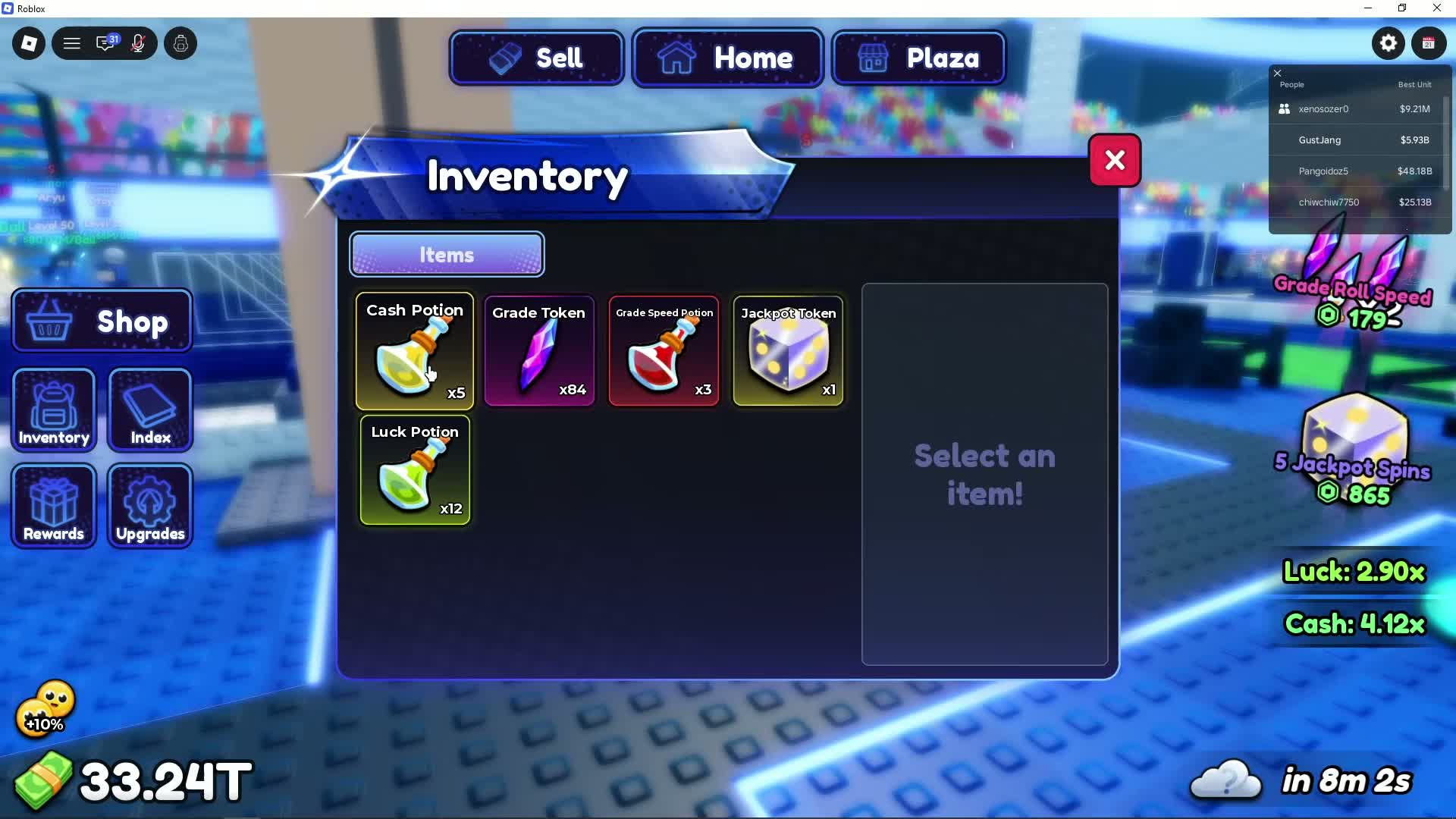
- The purple crystal in Inventory is labelled Grade Token.
- The purple-and-yellow dice item is Jackpot Token and is linked to Jackpot spins.
- Check the selected player first if Ranking still says Select a Player to continue.
- Read the cash/token choice and live balance before treating an unresponsive control as a bug.
Sources and dates
Superlex Plays: empty Ranking panel, 05:48
Selection requirement, token balance, payment toggle and grade list.
Superlex Plays: selected player and roll sequence, 05:55
Selected Monster Gagamaru; subsequent narrator-reported E outcome.
GustYesNo: inventory distinguishes the token types, 03:55
The two tokens have distinct names and icons.