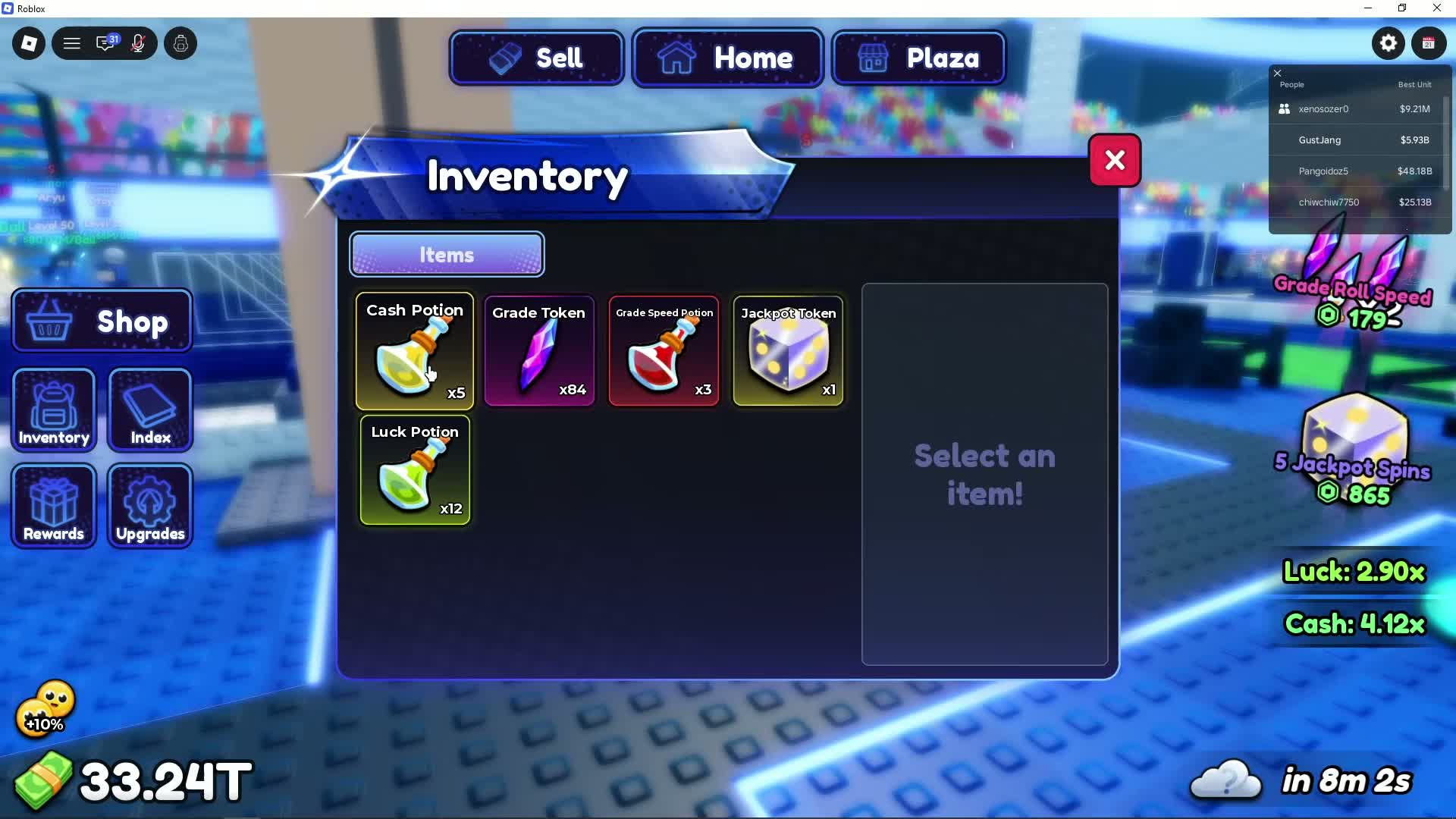
The dice-shaped item is a Jackpot Token
The purple-and-yellow die shown in the Inventory is labelled Jackpot Token. In the same inventory, Grade Token is a separate purple crystal. If your question is about this die icon, the item name to look for is Jackpot Token.
What is it for?
The same purple-and-yellow die appears on a separate “5 Jackpot Spins” offer, linking the item to that feature. The footage does not show the Jackpot Token selected, consumed, or followed by a prize. It does not establish a reward, odds, or spins per token.
What the recorded Inventory state shows
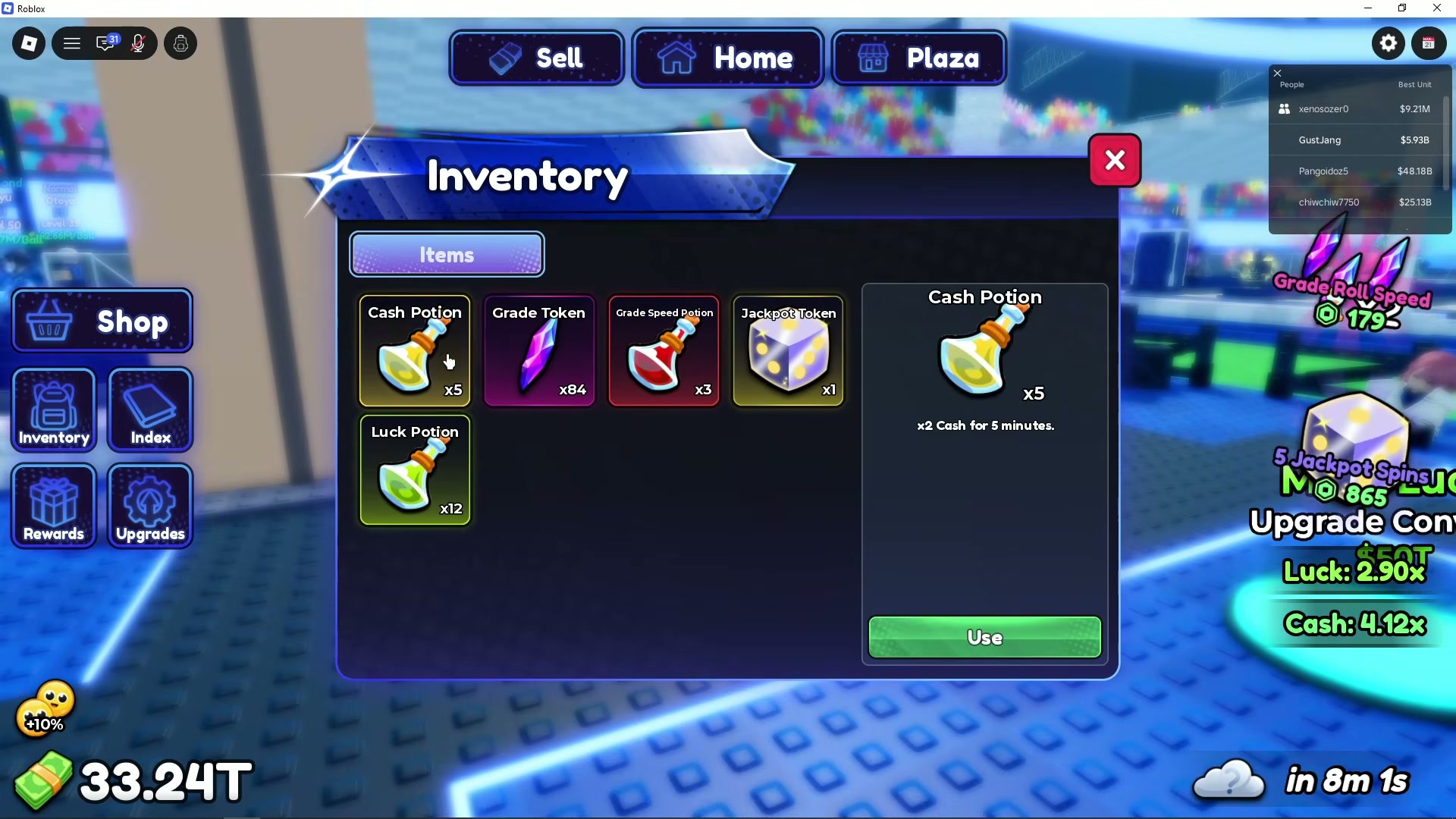
At 03:56, Inventory lists Jackpot Token x1. Cash Potion x5 is selected, and its details panel says “x2 Cash for 5 minutes” with a Use button. The clip closes Inventory while the die remains unselected. This confirms the action belongs to Cash Potion and leaves the Jackpot Token activation route and quantity change unverified.
Check the item before using it
The recording connects the die icon with Jackpot Spins. It leaves the owned-token activation route, quantity change, and cost per spin unverified. The separate 5 Jackpot Spins offer does not establish a required purchase for an owned token.
- Open Inventory on the left of the screen.
- Find the item labelled Jackpot Token and read the quantity on its tile. Match the name as well as the dice icon.
- Read the selected item's own detail panel before using a control. In the reviewed clip, Use is shown for Cash Potion; Jackpot Token remains unselected.
Why the Ranking stand uses a different token
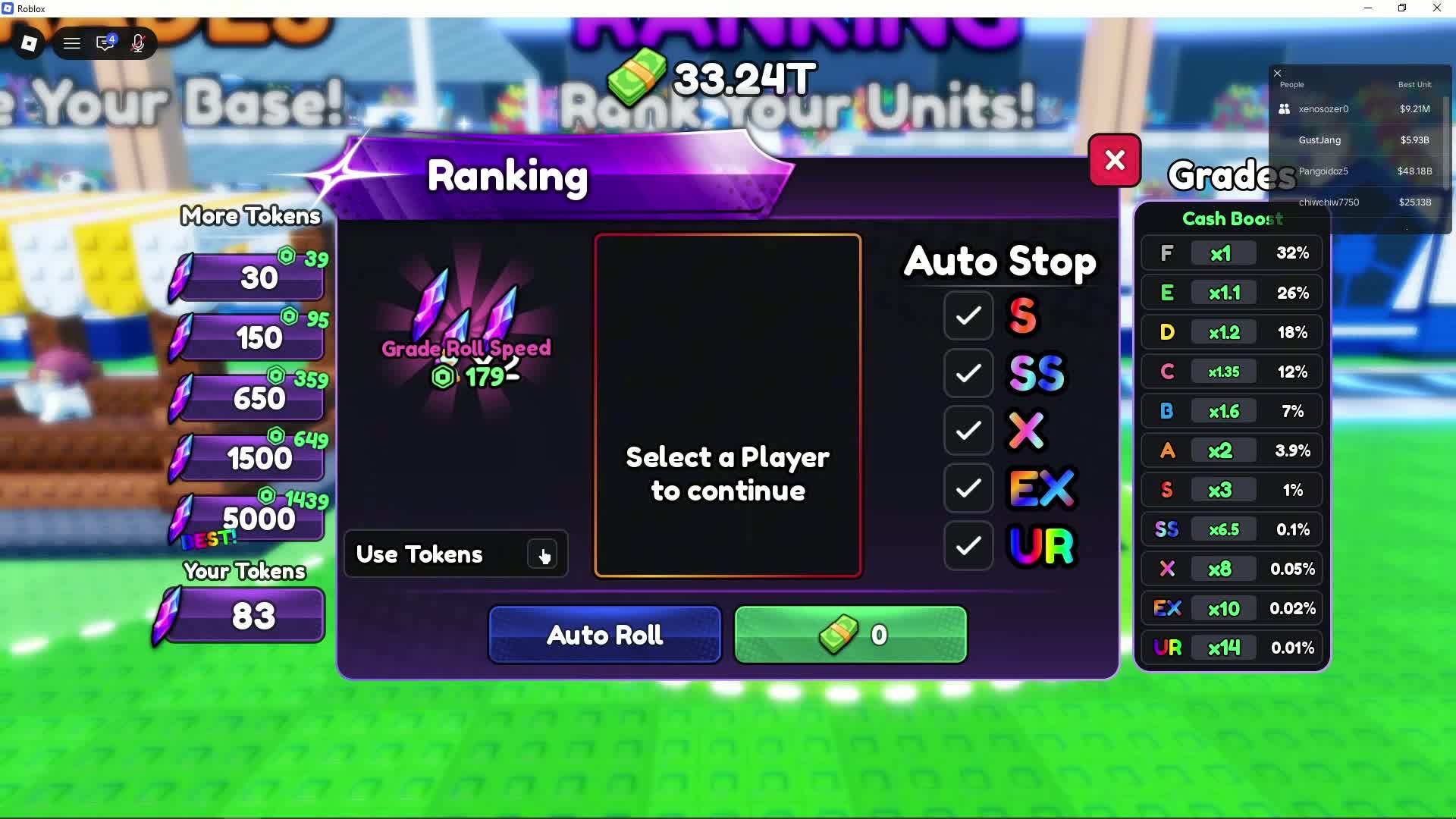
Ranking displays the purple crystal symbol beside Your Tokens and includes a Use Tokens option. That is the Grade Token system. Keep the dice-shaped Jackpot Token separate when following character-grading instructions.
Can POLISHER give me one?
Pro Game Guides and Pocket Tactics reported POLISHER as a reward of one Jackpot Token in their September 25 code lists. This is a dated code report, not a successful redemption recorded by this site. Use the code-entry guide to try it, then check the game’s response and your inventory. An old code list cannot establish that a code still works today.
Sources and dates
GustYesNo: named inventory items and Jackpot Spins offer, 03:55
Screen-visible Jackpot Token die, Grade Token crystal and matching dice icon on a 5 Jackpot Spins offer.
GustYesNo: Inventory selection context, 03:56
Jackpot Token x1 remains unselected. Cash Potion x5 is selected and its detail panel shows Use; no Jackpot action is recorded.
GustYesNo: Ranking token icon, 02:40
Separate Grade Token system.
Pro Game Guides: POLISHER reward report
September 25 report; live code redemption not tested.
Pocket Tactics: POLISHER reward listing
Reports one Jackpot Token from POLISHER; no token activation steps are shown.