Quick answer: look at the character’s feet
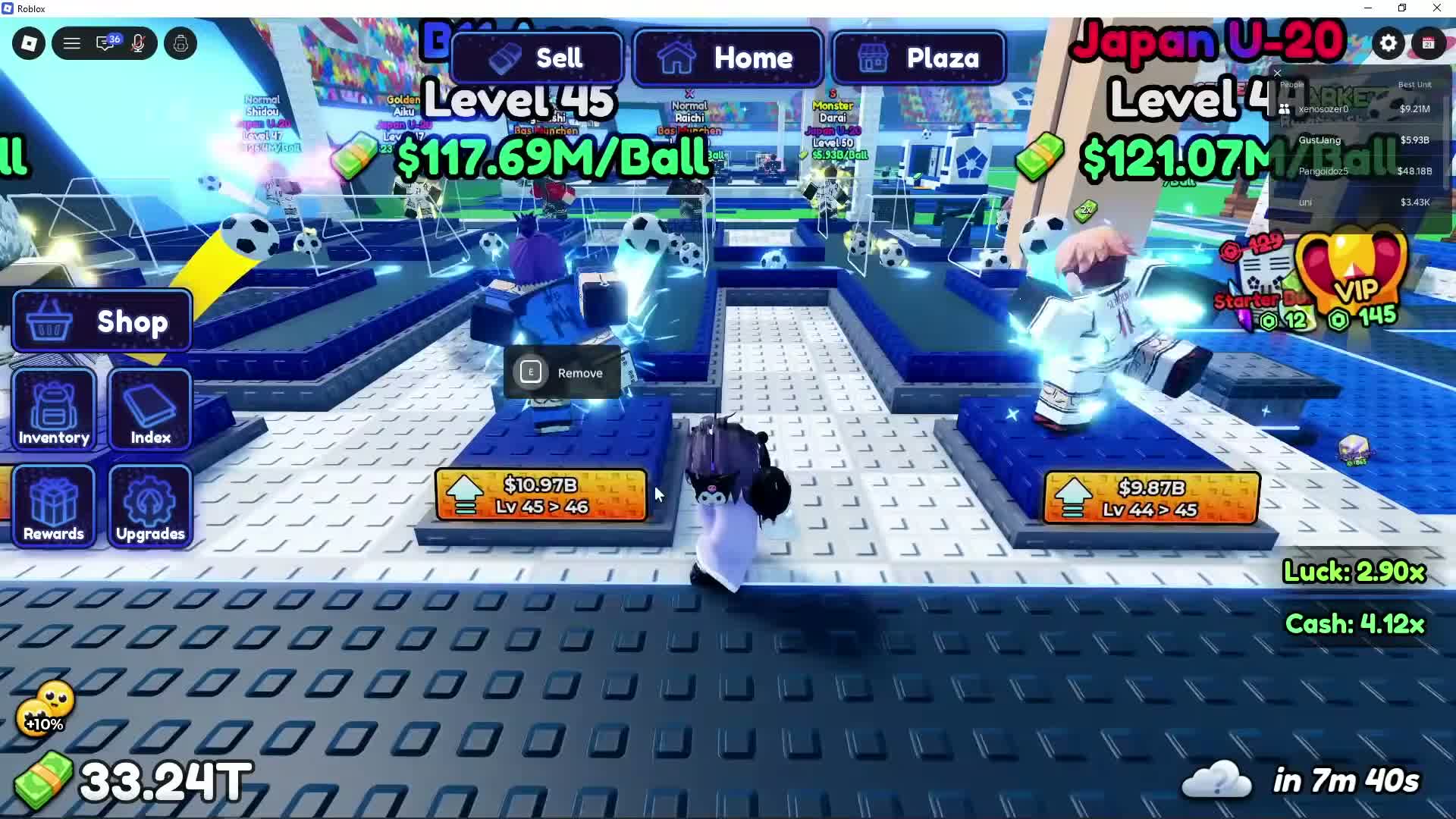
At your base, look for the orange cash-price plate with an upward arrow at the front of a placed character’s stand. It shows the current level and the next level, such as Lv 45 > 46. This is the character-level control. The separate Upgrades menu contains base and convenience upgrades.
Find and use the level control
The screenshot identifies the upgrade control and the price-to-next-level display. This research did not execute a purchase in the Roblox client; it does not establish a universal price or a guaranteed income increase for every character.
- Return to Home and approach the character you want to improve. If it is in your inventory, place it in a base slot so its stand is visible.
- Read the level label above the character, then look down at the orange arrow plate at the front of its stand.
- Check that the plate names the level increase you want and compare its cash price with your balance.
- Select that character’s orange upgrade plate. Check the level label and cash balance afterward before buying another level.
Avoid the Remove prompt
The same frame shows an E Remove prompt beside the selected character. That prompt is for taking the character off the stand. Aim for the orange upward-arrow plate when you want a level increase. The recorded plates show $10.97B for Lv 45 > 46 and $9.87B for Lv 44 > 45; these are examples from an advanced player’s base, not starting costs.
Levels, grades and base upgrades
Choose the control that matches your goal. Spending on Walk Speed or a Ranking roll does not demonstrate a character-level purchase.
- Character level: shown above the placed character; the orange stand plate names the next level.
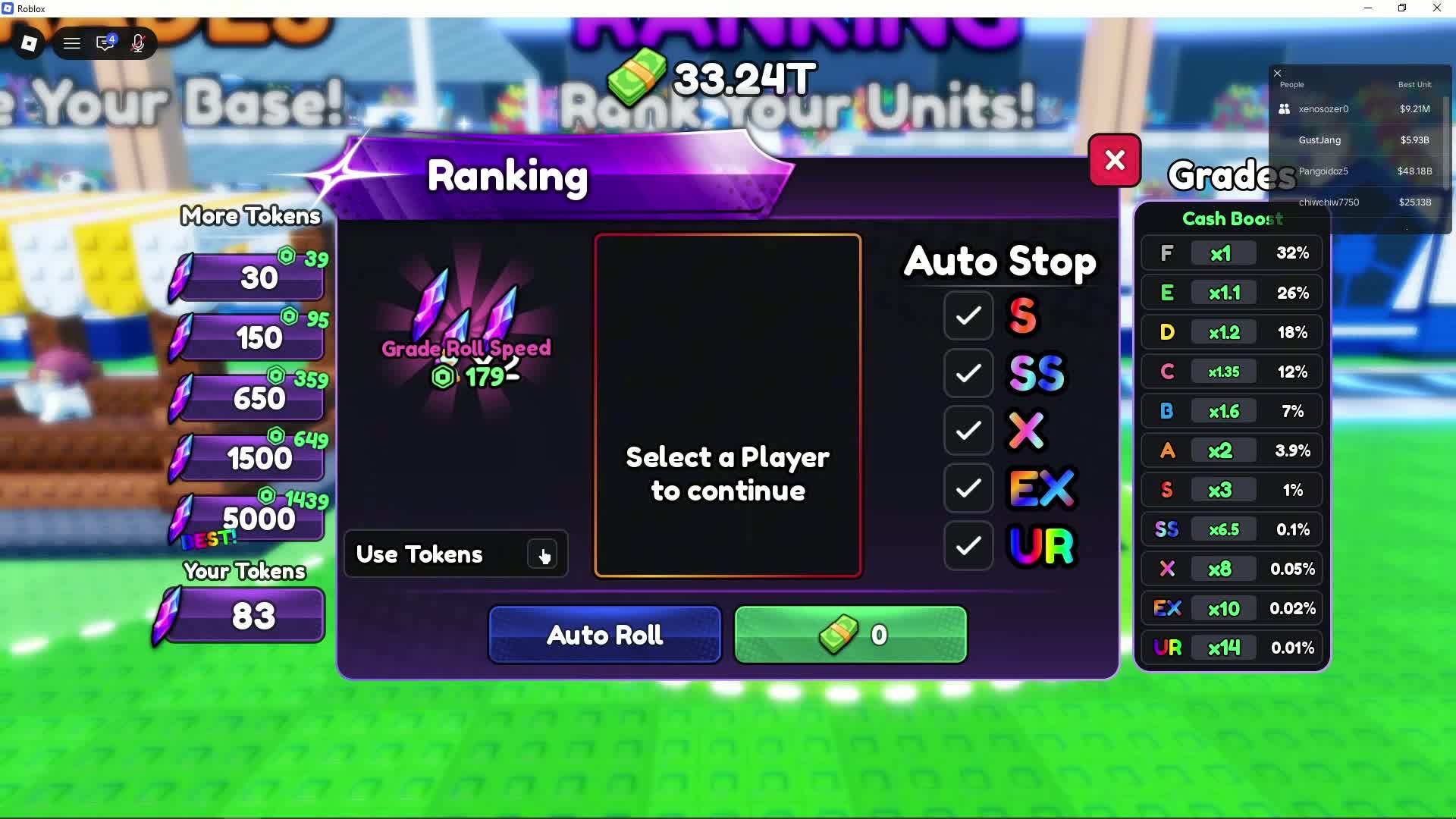
- Grade: managed at the Ranking stand in Plaza, where a selected player receives a grade with a listed cash boost.
- Base upgrades: opened through Upgrades, including Open Time Boost, Base Expansion and Walk Speed.
If you cannot find the button
- Check a placed character rather than an unopened Locker.
- Move to the front of its stand and angle the camera downward so the price plate is readable.
- Close open menus and distinguish the nearby Remove prompt from the arrow plate.
- Read the current cash requirement before spending. If the panel differs, use its current labels; the saved example is dated gameplay.
Sources and dates
GustYesNo: character-level plates, 04:05
Visible Lv 45 > 46 and Lv 44 > 45 controls, cash prices and a separate Remove prompt.
GustYesNo: separate Ranking menu, 02:40
Shows grades, purple Grade Token icon and Use Tokens toggle.