Open the panel
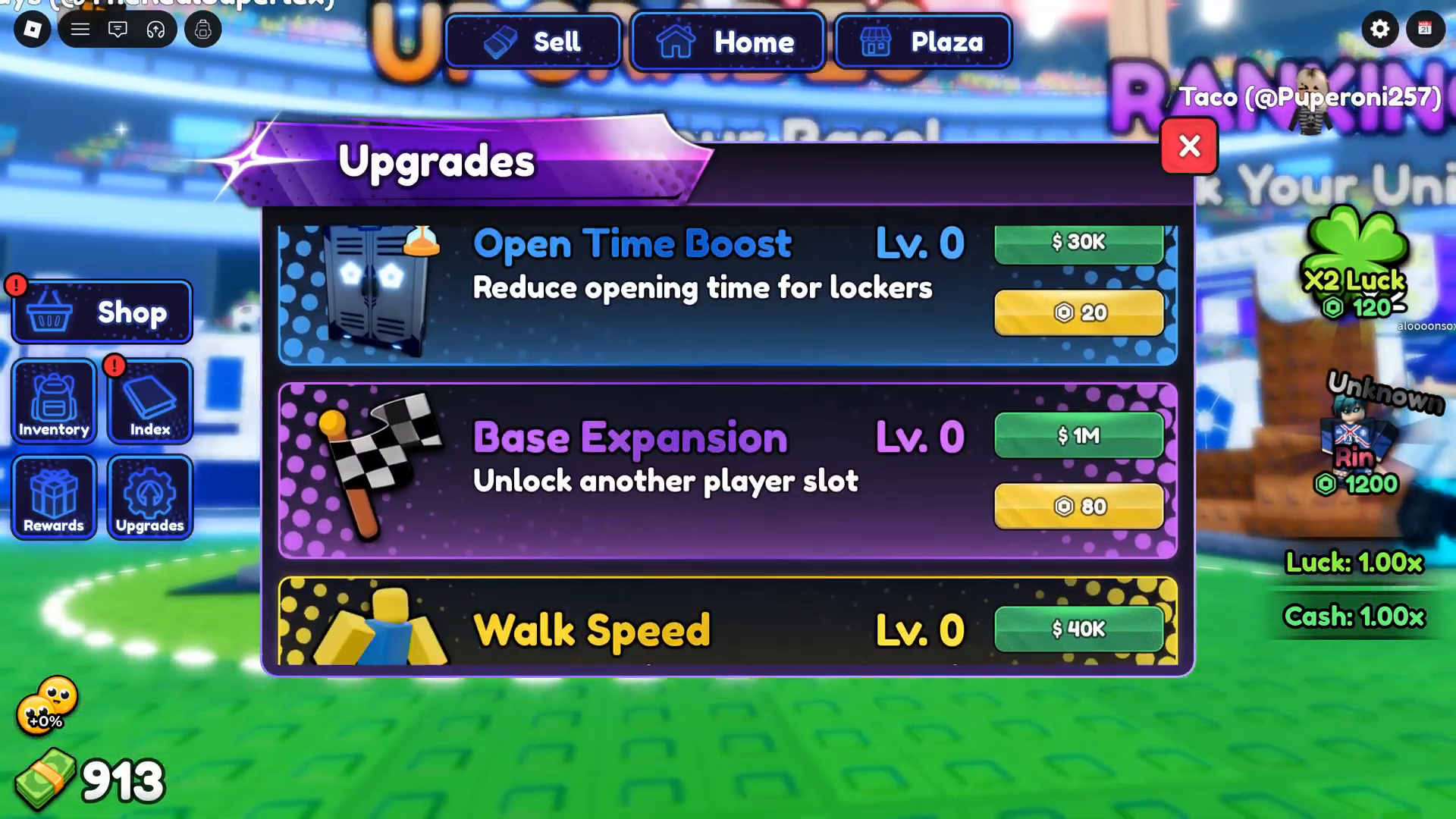
The left-side navigation in the gameplay recording includes Upgrades. The panel displays each upgrade name, level, a short description for some rows, and the available cash or token price. Follow the current in-game menu and read the row before buying.
Rows visible in the recording
- Open Time Boost, level 0: the panel says it reduces Locker opening time. The displayed options are $30K or 20 tokens.
- Base Expansion, level 0: the panel says it unlocks another player slot. The displayed options are $1M or 80 tokens.
- Walk Speed, level 0: the panel displays $40K. The captured row does not show an effect description.
Use the live panel for today’s choice
- Open Upgrades in your current session.
- Read the name, level, effect text, and currency option on the row you are considering.
- Use the current displayed value. The video snapshot is dated and comes from one creator run.
- Compare your own before-and-after result if you want to judge an upgrade’s effect.
What the recording does not establish
It does not show a purchase outcome or measure how much an upgrade changed earnings or opening time. It also does not compare all upgrade options. The visible rows are useful for recognizing the panel, not for ranking upgrades or planning a permanent purchase order.
Sources and dates
Superlex Plays gameplay, 02:37
Direct screen observation of the three visible upgrade rows and the displayed costs in one session.
Superlex Plays gameplay, 00:09
Left navigation includes Upgrades in the same recording.
Official Roblox experience page
The description confirms character upgrades generally; it does not list these prices or measured effects.
Upgrade values seen in one session
Open Time Boost: $30K or 20 tokens
Base Expansion: $1M or 80 tokens
Walk Speed: $40K
Observed: 26 Sep 2026, one session